
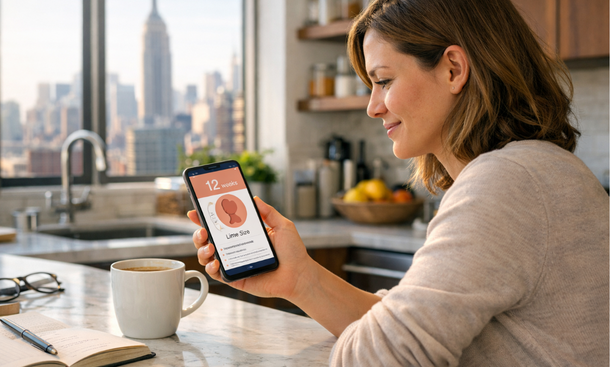
Let me be honest with you. When I was pregnant, I downloaded probably six different apps in the first two weeks. I was switching between them, comparing them, stressing about which one was giving me the “right” information. It was exhausting and completely counterproductive.
Here’s what I know now: the best app is the one you’ll actually open every single day. That’s it. The features matter, sure — but consistency beats perfection every time.
That said, not all pregnancy tracking apps are built the same. Some are genuinely useful for symptom logging. Some are glorified content platforms dressed up as health tools. And some have data privacy practices that should give any pregnant woman pause.
If you’re still building out your overall tracking approach, the complete guide to tracking pregnancy symptoms safely covers the full system. This page is specifically about the tools — what’s available in 2025, what each one does well, and how to pick the right one for how your brain works.
What makes a pregnancy app actually good for symptom tracking
Before getting into specific apps, it helps to know what you’re evaluating. A lot of apps market themselves as pregnancy trackers but their symptom logging is an afterthought — buried under week-by-week baby size comparisons and sponsored content.
A genuinely useful symptom tracking app needs a few things. It needs to let you log custom symptoms, not just pick from a predetermined list. It needs to show you your history in a way that’s easy to read back. It should send you a daily reminder that doesn’t feel intrusive. And ideally, it should let you export your data or at least screenshot it cleanly to bring to appointments.
Data privacy is also non-negotiable. After several high-profile cases of health app data being sold or subpoenaed, this is not a paranoid concern — it’s a practical one. Before you log anything sensitive, check whether the app is HIPAA-compliant and what their data sharing policy actually says.
The apps worth your time in 2025
Ovia Pregnancy
Ovia has been around long enough to have worked out most of its early bugs and it shows. The symptom logging is genuinely flexible — you can track from a solid list of common pregnancy symptoms and add notes to each entry. The timeline view makes it easy to look back at a full week at a glance.
What sets Ovia apart is the health insights feature. It flags patterns in your logged data and prompts you to discuss certain things with your provider. That’s exactly the kind of tool that makes tracking feel purposeful rather than just performative.
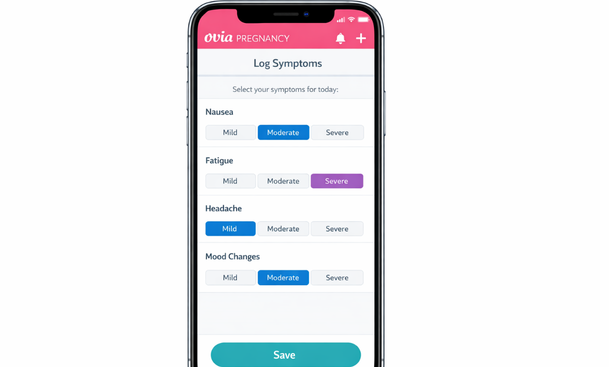
Privacy-wise Ovia has a detailed policy and gives users control over whether their data is shared with third parties including employers — which became a major issue a few years back. Read it before you sign up.
Best for: Women who want structured logging with some built-in clinical guidance.
The Bump
The Bump is probably the most well-known name in pregnancy apps and it earns that reputation mostly through its content — the week-by-week breakdowns are thorough and well-written. But as a symptom tracker specifically, it’s not the strongest option.
The logging features are basic. You can note how you’re feeling but the customization is limited compared to Ovia or Glow. Where The Bump shines is as a reference tool — if you want to understand what’s happening in your body at week nine, the information is solid and written at a level that doesn’t require a medical degree.
Best for: First-time moms who want educational content alongside basic tracking.
Glow Nurture
Glow started as a fertility tracking app and that DNA shows in how it handles data. The logging interface is detailed and the app is genuinely good at identifying patterns — it was built around data analysis from the start.
The symptom tracking lets you log intensity levels and add free-text notes, which is important. The calendar view is clean and easy to read back. And the community feature, while not for everyone, can be useful for women who want to cross-reference their experience with others going through the same week.
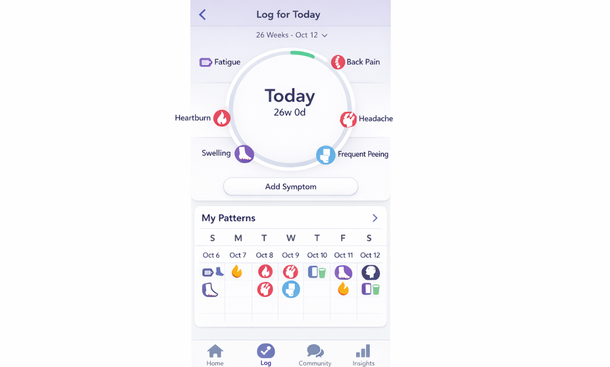
Glow Nurture App Interface
The data privacy policy at Glow has had scrutiny in the past. As of 2025 they’ve updated their terms significantly but it’s worth reading the current version yourself before logging anything you’d consider sensitive.
Best for: Women who are data-oriented and want pattern analysis built into their tracking.
Clue Pregnancy
Clue built its reputation on menstrual cycle tracking and the pregnancy mode carries that same no-nonsense, science-forward approach. The interface is minimal and fast — you can log a full day’s symptoms in under two minutes.
What Clue does particularly well is consistency prompting. The reminders are smart and non-intrusive. The data export feature is genuinely useful — you can pull a CSV of your symptom history which is as useful as it sounds when you’re sitting in an OB’s office trying to remember what happened three weeks ago.
Clue is also one of the more transparent apps on data privacy. They’ve published clear commitments about not selling user health data and they back it up with readable documentation.
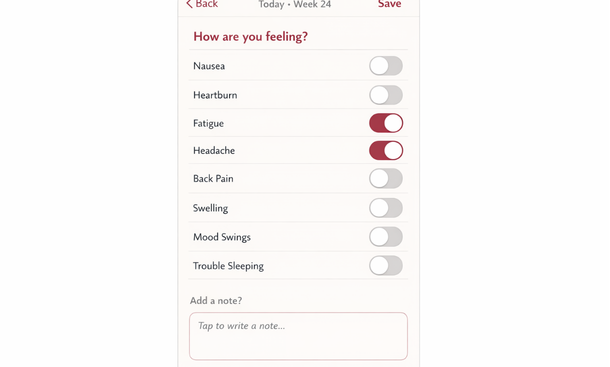
Best for: Women who want fast daily logging, data export, and strong privacy practices.
What about just using your phone’s notes app
Honestly? It works. A simple daily note with date, week of pregnancy, and a few bullet points of symptoms is not glamorous but it is consistent and completely private. No data policy to worry about. No notifications you didn’t ask for. No sponsored content interrupting your log.
The downside is zero pattern analysis and no reminders unless you set them yourself. But for some women — especially those who find dedicated apps anxiety-inducing — a plain notes document is the right call.
How to set up whichever app you choose
Download it and spend fifteen minutes with it before your next symptom appears. Get familiar with where things are so that when you’re nauseous at 7 AM you’re not fumbling around learning the interface.
Turn on daily reminders for a consistent time — morning works well for most people. Set the reminder for the same time you’d naturally do a five-minute check-in, like right after you wake up or right before bed.
Log something every day even if it’s just “felt fine today.” The baseline entries matter just as much as the symptomatic ones.
Picking the right app is just one piece of the tracking puzzle. The tool only works if the habit around it is solid. And the habit that holds up best — across all three trimesters, across the good weeks and the brutal ones — is a daily journaling routine that takes five minutes and tells you more than any algorithm will.
The next step is building exactly that. How to build a daily pregnancy symptom journal that actually works walks you through the exact routine and template that makes tracking feel manageable instead of like another thing on your list.

As an author at Felyro.com, I create actionable content on pregnancy tracking, offering practical tools, tips, and insights that empower mothers-to-be to stay informed and confident throughout their pregnancy.